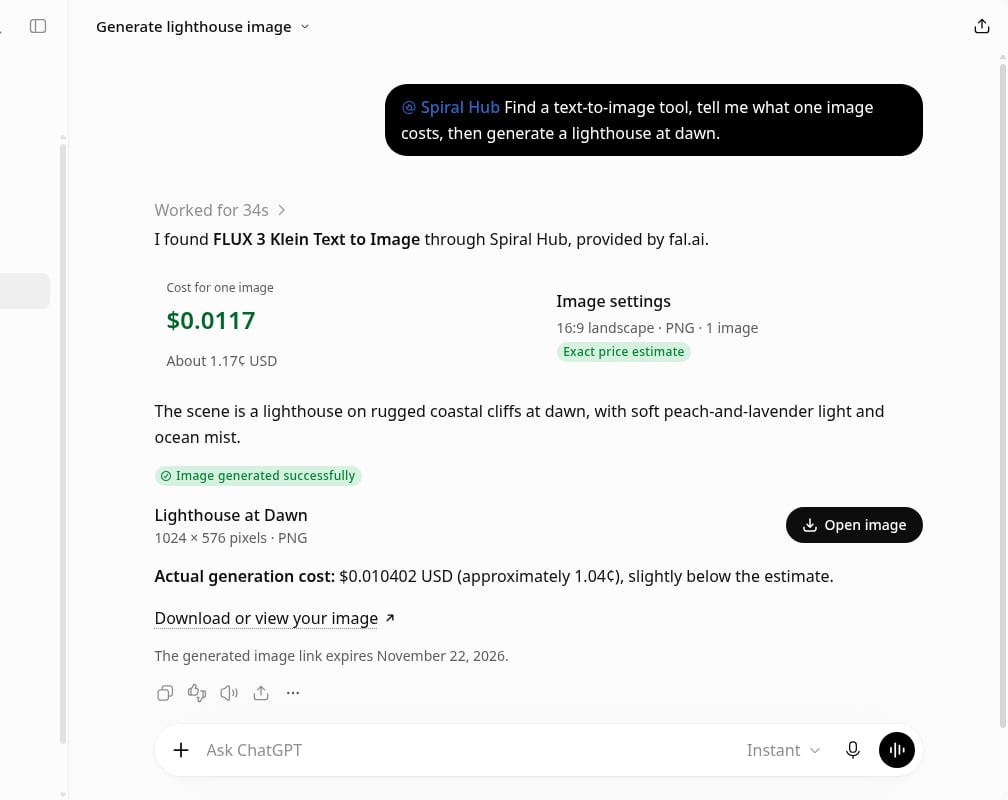
Add Spiral in ChatGPT
Opens ChatGPT’s Plugins. Then Add › Add custom MCP server.
- Go to ChatGPT › Plugins, then Add › Add custom MCP server.
- Name it Spiral and paste the link
https://api.spiral.ai/mcp, with OAuth. Tick I understand, then Create. - Connect and sign in to Spiral, then click Authorize. No API key.
Step by step
1
Add a custom MCP server
In ChatGPT open Plugins, then Add › Add custom MCP server. Name it Spiral, paste this URL and keep
Authentication on OAuth. Tick I understand and want to continue, then click Create.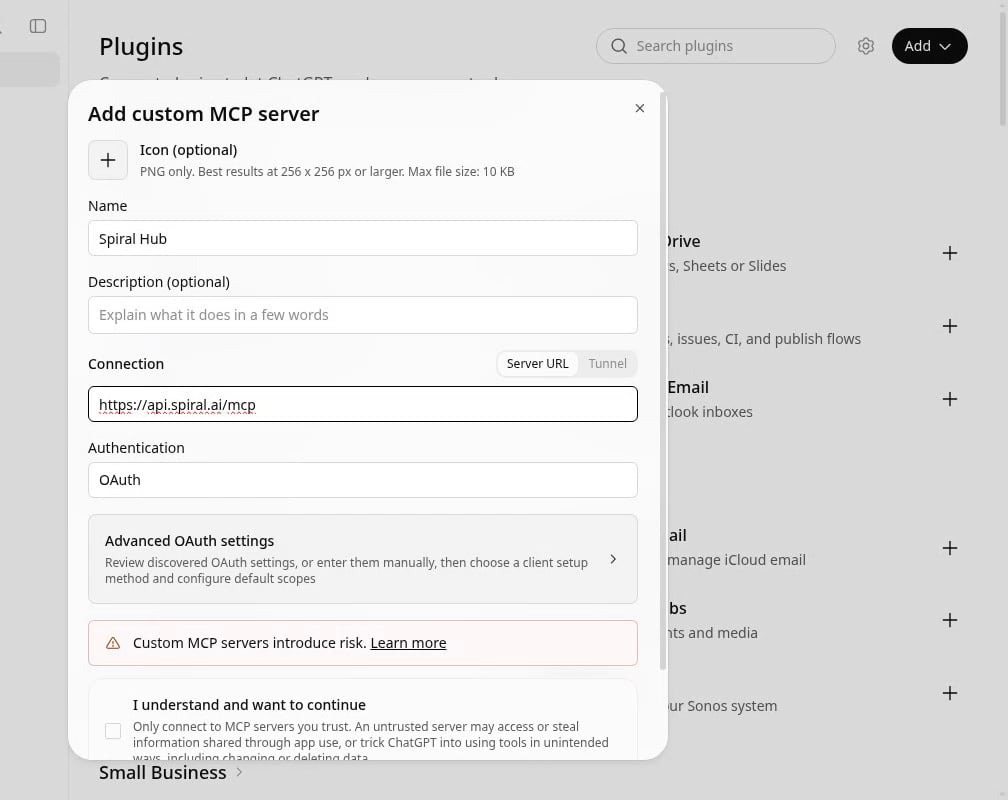
2
Click Connect
ChatGPT asks to connect Spiral. Connect takes you to Spiral in your browser.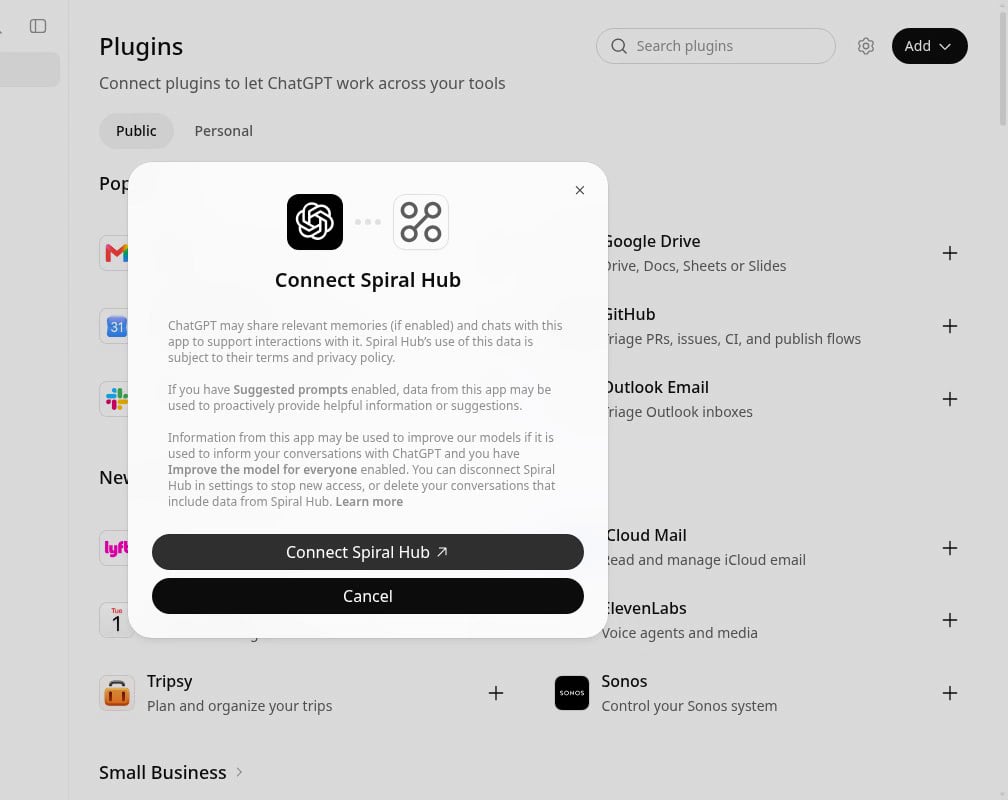
3
Sign in to Spiral and approve
Sign in, pick the organization ChatGPT should use and click Authorize. Spiral gives the connection its own API
key; ChatGPT never sees it, and you can remove the connection under Settings › Connected apps.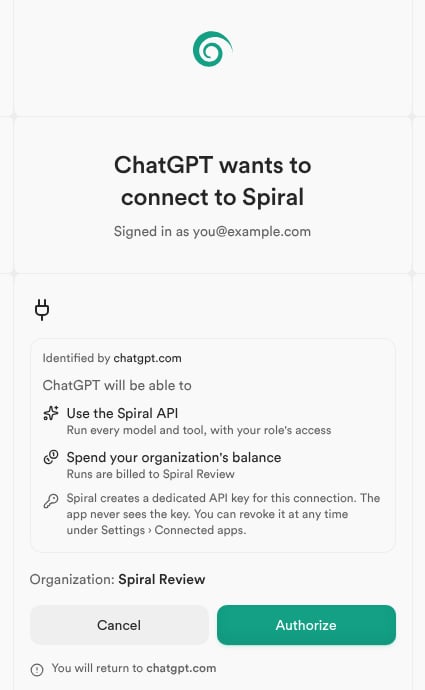
4
Try a starter prompt
Back in ChatGPT, mention Spiral (type @ and pick it) and paste: